
My own iPhone app
A migraine diary for iPhone
Migraine Log
Less to remember. A clearer picture of your migraines.
It can be hard to remember the details of a migraine episode later. Migraine Log lets you record them on your iPhone, so you can look back over your entries and prepare for your next appointment.
Built for iPhone, with no account or cloud sync. The app screens shown here are in German.
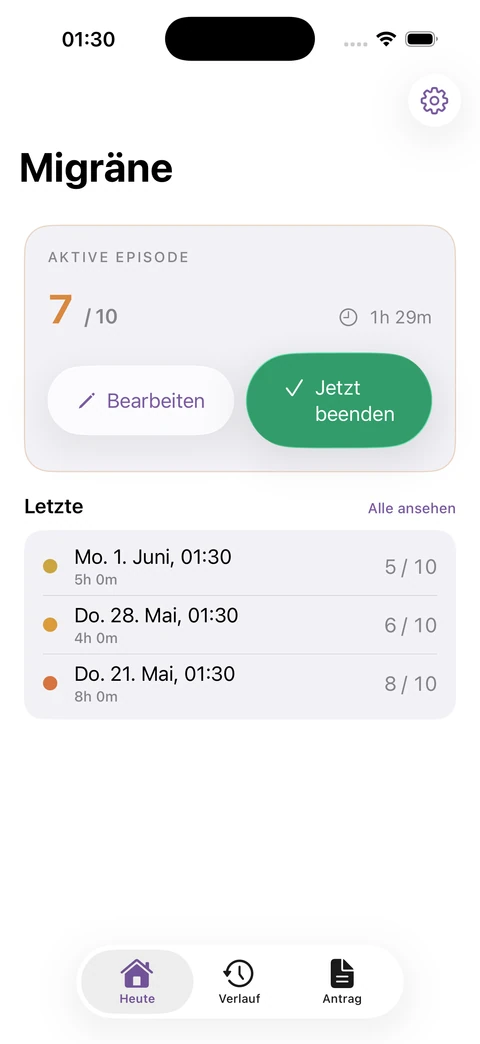
Structured daily records
Record it as it happens
Record when an episode starts and ends, add its severity and triggers, or mark a pain-free day. You’ll have a record to look back on.
Look for patterns
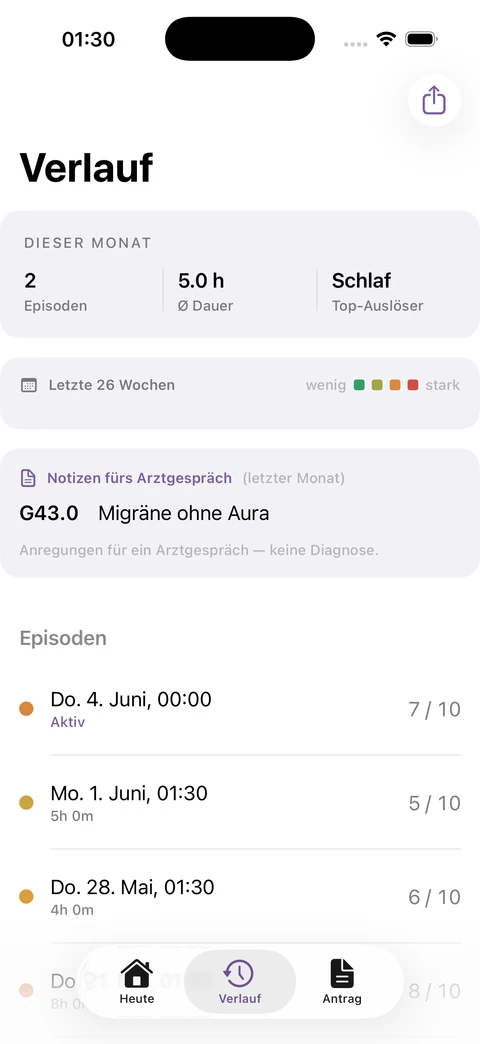
The history view brings your entries together. Once an episode has passed, you can take your time reviewing how often migraines occurred, how long they lasted and which triggers you recorded.
Prepare for your appointment
A clear record can help you explain what you’ve noticed. The app helps you keep that record; it does not provide a diagnosis or replace medical advice.
The iPhone experience
Use the daily view for individual entries and the history view to look back over several days. Both screenshots show the German interface.
Your records stay with you
Your entries are stored locally on your iPhone. There’s no account or cloud sync. You choose whether to export a report or backup, and where to send it.
Read more about data storage, exports and in-app purchases below.
From product idea to application
User needs, product scope and technical requirements form the basis for your app’s design and development.
Discuss your project